The Canyon Was Named for Him has three finished versions: widescreen, square and vertical. Each runs for about 34.47 seconds at 30 frames per second. Pause them at the same moment and the differences become specific: how much of the desert remains, whether a moving character stays in view, and where a line of text breaks.
The film follows Old Sidewinder, the enormous snake in a Gunslinger’s Gold boss encounter. Its illustrated desert scenes and gameplay give the three formats different things to keep in view.
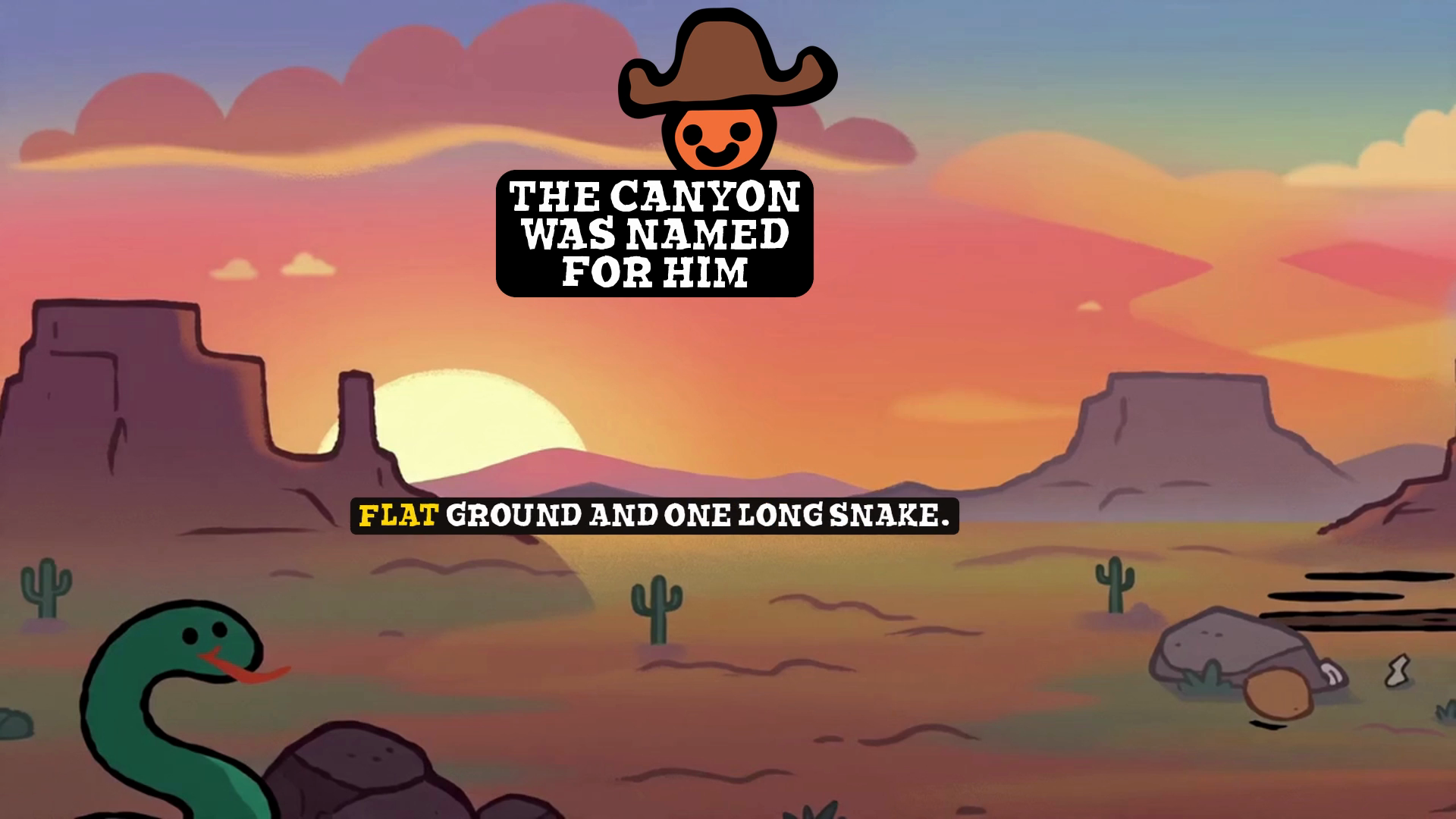
The opening uses the width of the landscape. At three seconds, the widescreen picture includes the snake entering from the lower left, distant mesas and a large stretch of sky. The vertical version keeps the title and a narrower part of the sunset; the snake is outside the frame. The setting still reads as a desert, but one character detail has disappeared.
The balance changes during the fight. At fifteen seconds, Old Sidewinder rises near the middle of the picture. His hat, head and coiled body remain prominent in all three formats. The vertical frame gives him much of its height, while leaving less room for the smaller character beside him. A large subject near the middle can survive the narrower composition even when the surrounding action becomes harder to follow.
An earlier gameplay moment shows why the main action needs its own check. At eight seconds, a small character is on the right side of the widescreen picture. In the corresponding square and vertical frames, that character is outside the image. The caption remains visible in all three. Checking that the words fit would therefore miss the change in what the audience can see.
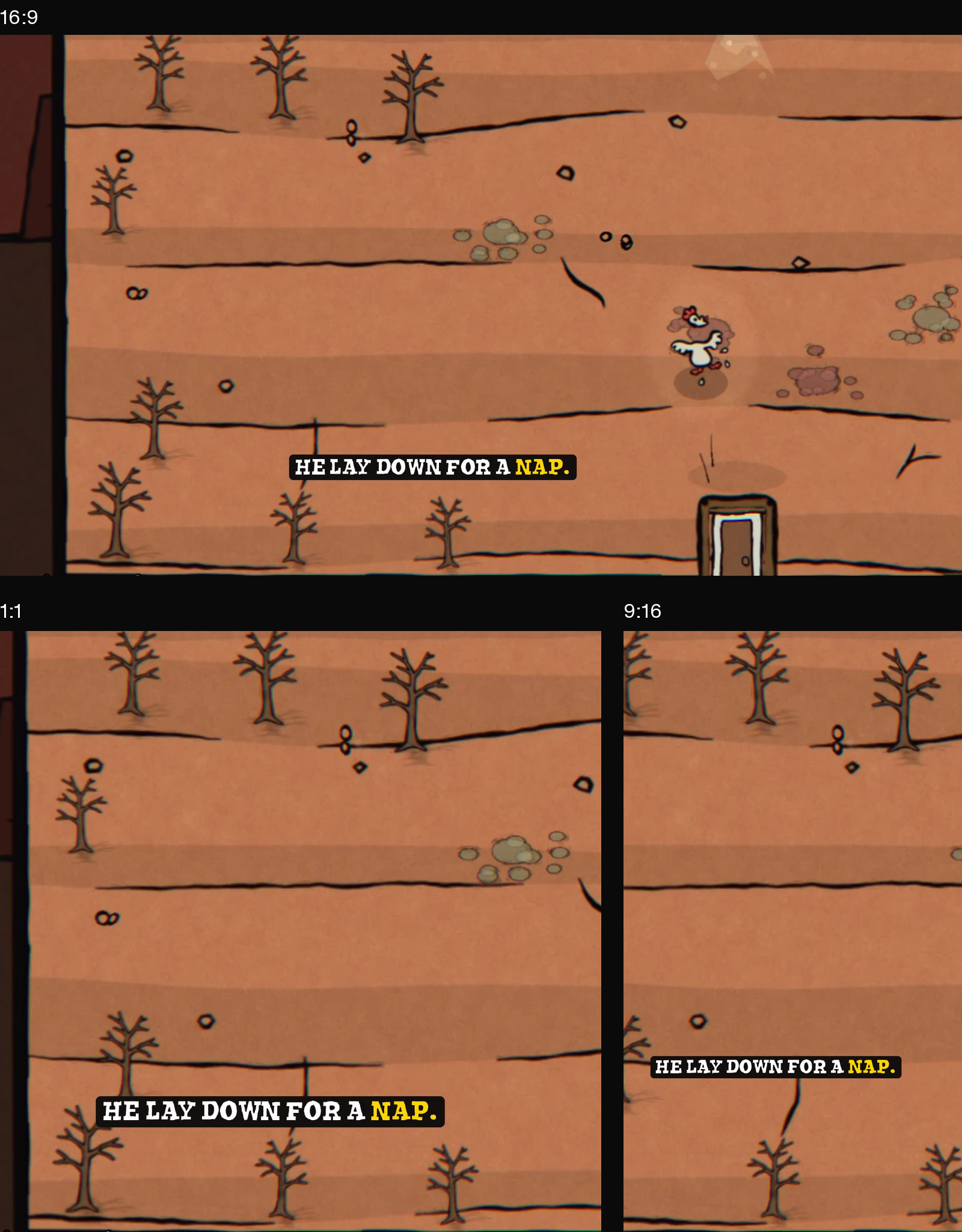
For a trailer built around movement, review the character’s whole path through each shot. A frame that works at the start can lose the subject by the end. Where the action needs more room, possible edits include shifting the framing as the subject moves, using a wider view within the vertical canvas, or choosing a different shot. The useful choice depends on what the viewer needs to follow at that point.
Text has a separate set of decisions. At thirty-two seconds, the closing card keeps the logo, the invitation to play and the complete site address in every format. “PLAY FREE IN YOUR BROWSER” occupies one line in widescreen. In square, the break comes before “BROWSER”; in vertical, it comes before “YOUR.” Those different line breaks preserve the words while changing the shape of the text block.
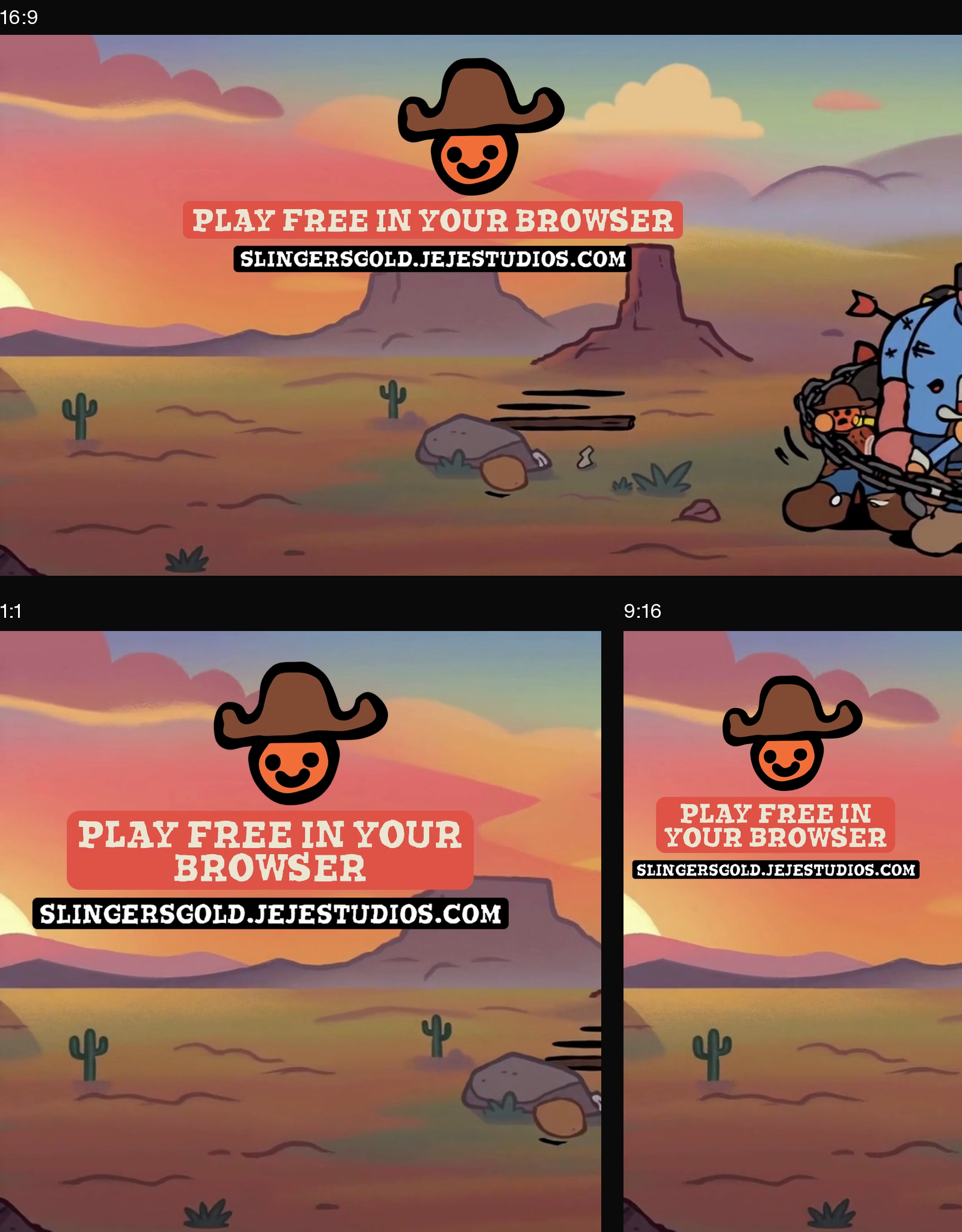
The surrounding illustration changes more than the message. A cluster of figures at the right edge of the widescreen closing card is absent from the narrower versions. The logo and destination still carry the invitation to play. This is a useful distinction to make before adapting a shot: which details establish atmosphere, and which details are necessary to understand the action or read the message?
Compare matching moments first, then watch each complete export at its intended display size. For each shot, check the subject, its movement and any text separately. Read the final address without pausing. That last viewing catches problems a set of attractive stills cannot show, including a subject leaving the frame or a card disappearing before it can be read.
Watch The Canyon Was Named for Him and explore Gunslinger’s Gold. For another part of the editing process, read Finding the useful shot inside an AI video montage.