TL;DR
- Use a bright product photograph to show the outline, fitting and lettering inside the glass.
- Use a dark moving view to show the illuminated filament and changing reflections.
- Keep photographs and film complementary, and judge lettering at its actual display size.
A transparent object can almost disappear against its background. Turn on a light inside it and another problem appears: the bright filament can become the only thing you see. A useful product presentation gives the viewer enough information to understand both the object and its light.
The public Shine on You Crazy project pairs photographs of decorative word bulbs with a short film of an illuminated bulb. The photographs show Dream, Hello and Love formed inside the glass. The film concentrates on a different bulb with long glowing filaments. Together, they offer two ways to look at a lighting product. Each view answers a different visual question.
Show the outline before asking it to disappear
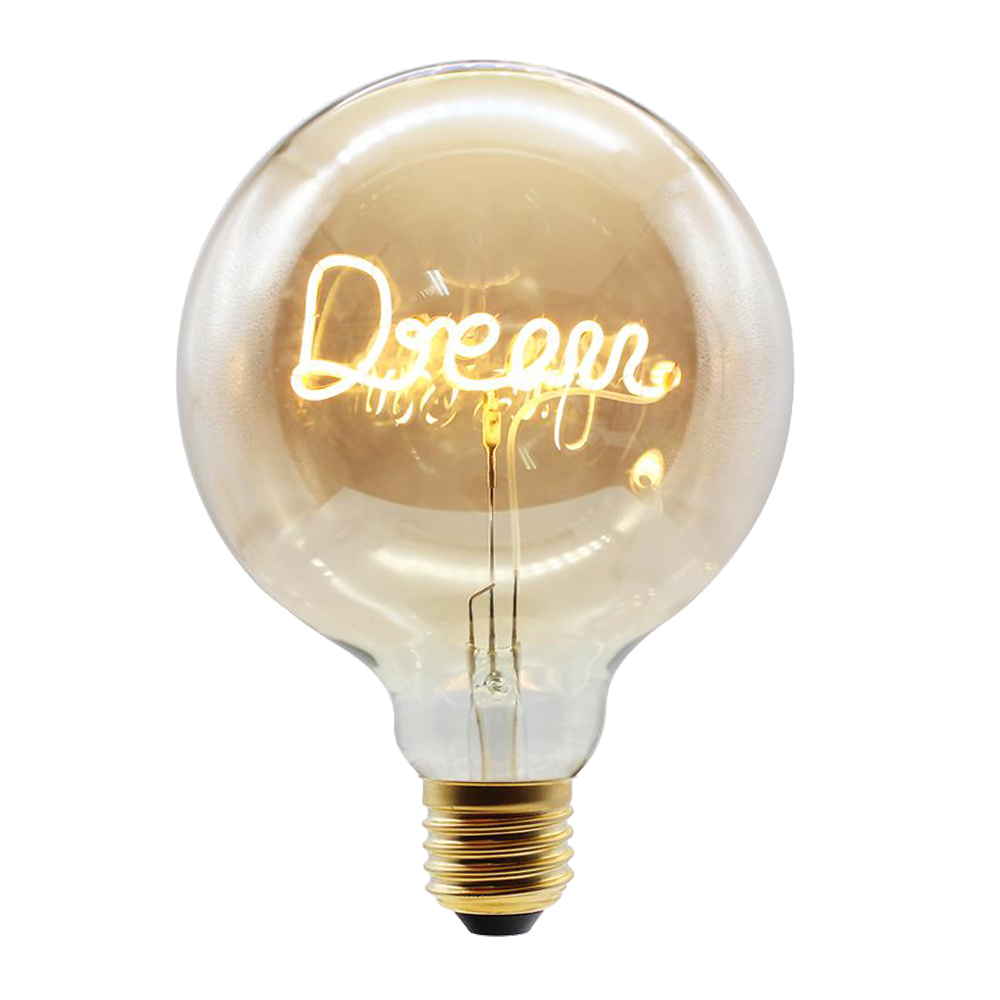
In the Dream photograph, the screw fitting, rounded glass and internal supports remain visible around the glowing word. The pale surroundings separate the metal base from the body. Reflections and a warm tint give the glass a surface, even though the viewer can see through it.
The word occupies the middle of the bulb. Space above and below it lets the reader see how the lettering sits within the object. A tighter crop could make Dream easier to read, but it would lose some of the bulb’s shape. That is a practical choice to make when placing a photograph in a catalogue: decide whether that image is identifying the whole product or showing a detail.
Keep the full product somewhere in the sequence. A close view of luminous lettering can be attractive without explaining the fitting, the proportions or where the glass ends. Those details help a viewer understand what the photograph contains. Dimensions and compatibility still need accurate product information; an image cannot supply measurements on its own.
Let the moving view describe the light
The film places an elongated bulb against black. Bright filaments form a vertical group in its center. Amber reflections appear around the sides, and their changing shapes give the glass depth. The subject stays isolated, so small shifts in reflection are easy to notice.
That movement supplies information a still frame holds in one position. A reflection passes across part of the surface, then another part becomes clearer. The outer glass is sometimes faint while the filament remains bright. Watch the whole sequence when choosing a poster frame: the most luminous instant may also be the instant that hides the outline.
The film and the word-bulb photographs show different designs. A presentation should make that clear instead of letting a viewer assume they are alternate views of one item. For a single product listing, match each clip and photograph to the exact design being offered. Similar lighting and color are not enough to establish that they show the same product.
Check the word at the size people will read it
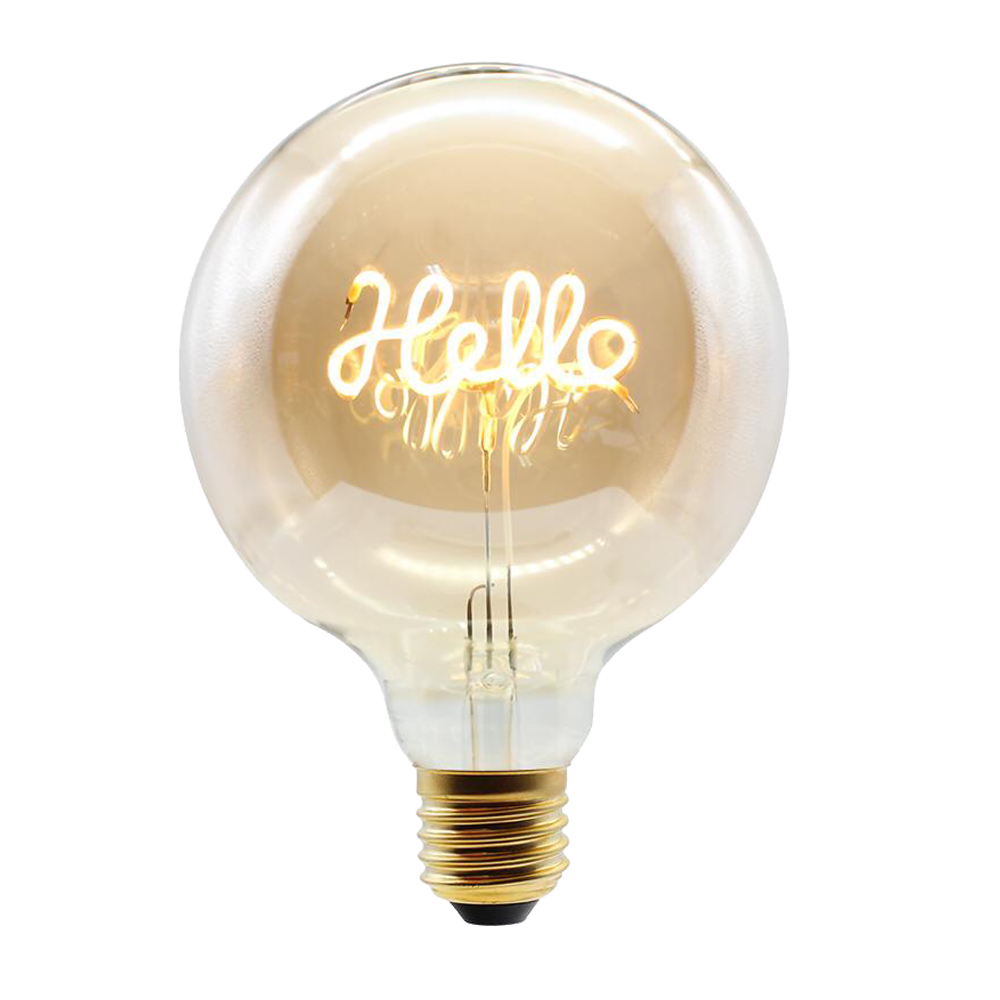
Hello has a different rhythm from Dream. Its large loops occupy more of the bulb’s center, and the bright strokes overlap the reflections and internal supports. At full size the viewer has time to separate those elements. A small catalogue image gives them less room.
Review the image in the actual layout, especially on a phone. Check whether the word can still be read, whether the glass outline is visible and whether the base has been cropped unintentionally. If a detail needs more space, provide a larger view or a separate close-up. Enlarging every product image can make the page harder to scan without solving the specific problem.
A moving image also needs a usable still. The player should offer controls, and its poster should identify the subject before playback starts. Keep the written product name beside the media so the viewer can identify it even when the decorative lettering is difficult to read. The public Shine on You Crazy page brings the film and the three word-bulb designs together.