TL;DR
- The mission briefcase is the one object the whole plot turns on. Midjourney had drawn it five different ways in five frames I approved, one shot at a time, over a week.
- At 5:24 a.m. on October 23 Claude cropped the black case out of an approved frame and made it the briefcase's prop lock. Eleven more props got one in the next 19 seconds, two more by 8 a.m.
- The same morning we went through the prompts. Midjourney draws what the words say, so "sleds across the room" gets you a sled. 517 prompts were rewritten as plain picture descriptions.
- Between 4:30 and 7:15 a.m. the render queue made 0 clips. Two words, "softly" and "slowly", tripped a rule that refused the whole batch, and the queue tried the same batch every two minutes.
- I watched the whole film that morning and found approved shots missing, like the man on the conveyor belt. Claude put about 20 of them back and made a missing approved shot a hard stop.
Day 19 was the day I stayed away. Day 20 is the morning I came back, sat down with the frames and the full cut, and noticed the same suitcase never looked the same twice.
Day 20 at a glance
Claude runs the crew on my film. A runner sends prompts to Midjourney, one job at a time, with human-sized breaks between them. Each job comes back as four takes. Claude's pre-judge looks at every new frame before I do. The frames I approve go to rented GPUs on RunPod to be animated, or to Runway by hand.
On October 23, between 4:47 and 11:26 a.m., I judged 92 frames from Scenes 27 to 32. I approved 65 and sent back 27. I also judged 29 clips and kept 26.
All times here are Eastern. The Mac runs on Bangkok time, so I convert.
Why did the briefcase keep changing?
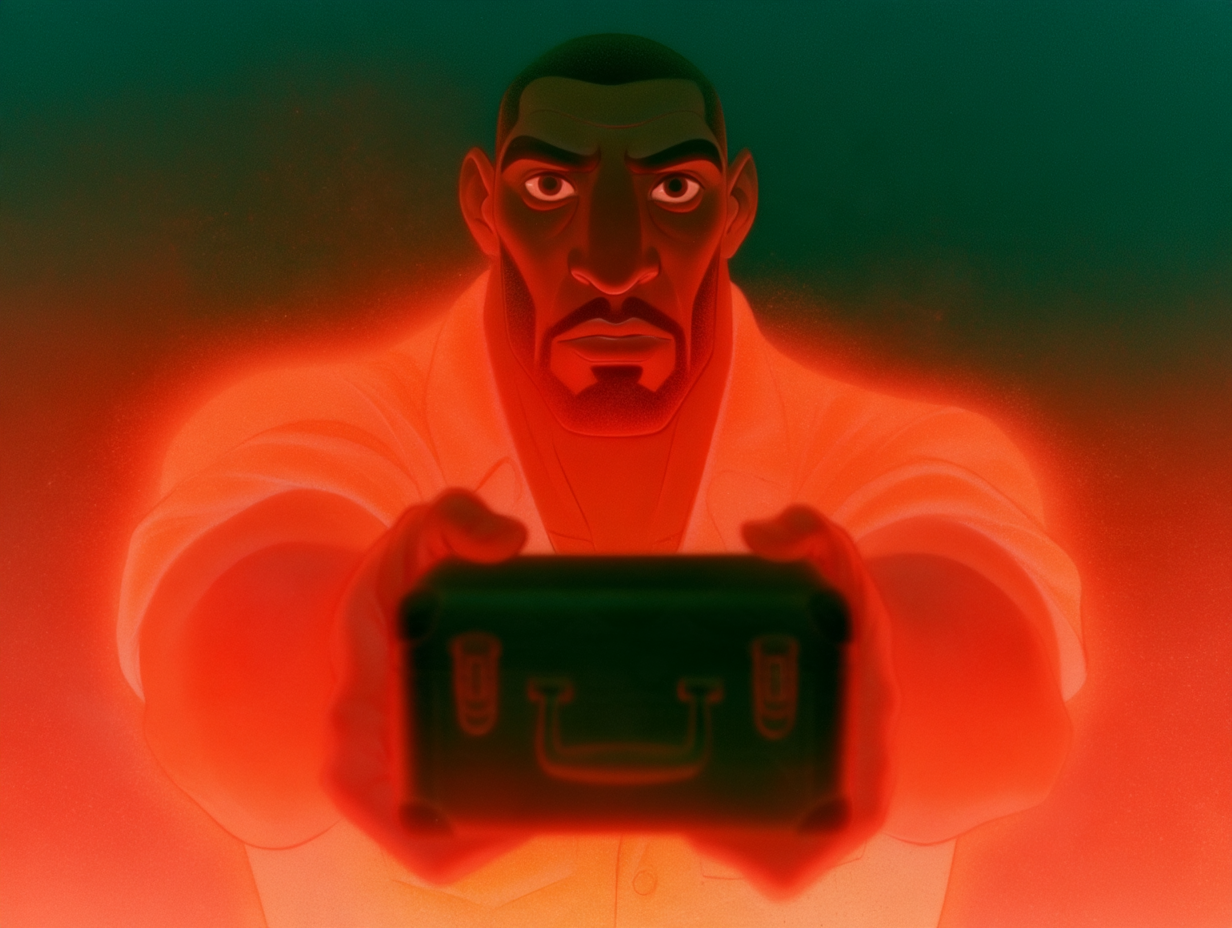
Death Match turns on a case. Mike hands it over in the Dream Lab in Scene 16. Lilith walks off with it. Alexander and Lilith find it in a vault in Scene 27, and John tries to open it. It shows up in 45 shots across eight scenes.
Each of those shots described the case in words, and the words were never the same. One script said "small black metal case". Another said "steel briefcase". Midjourney took each one at its word.
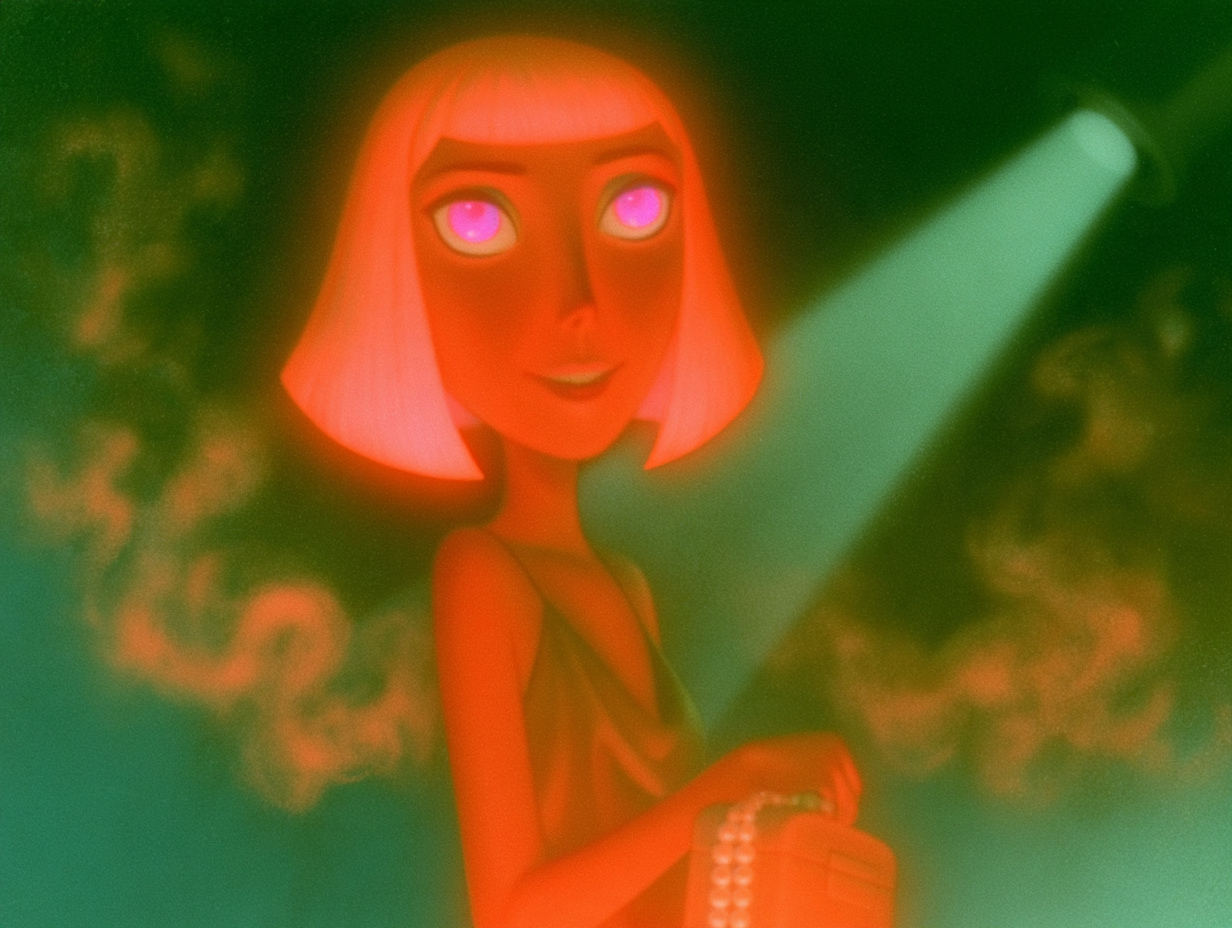
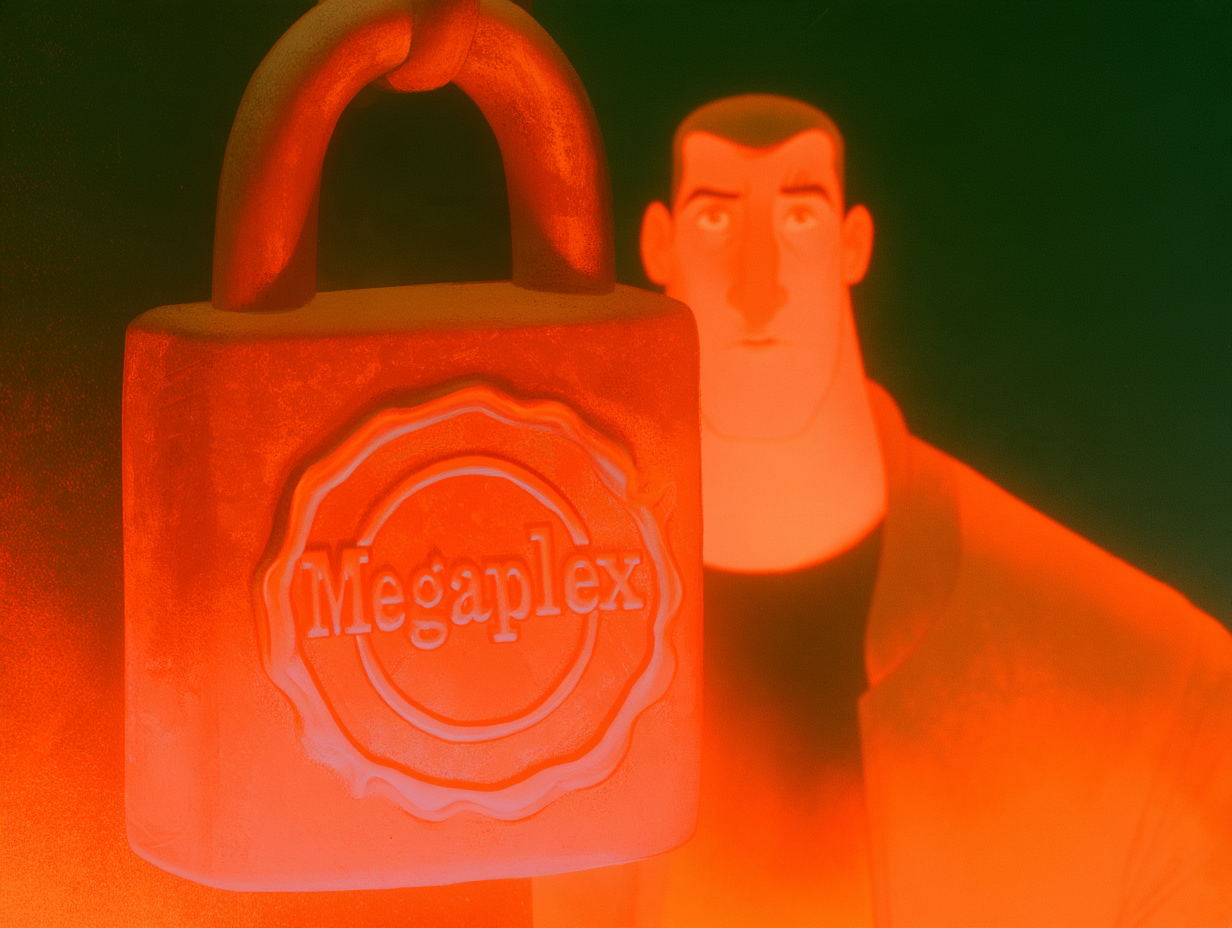
So in shot 16-13 Mike holds out a black hard case with two chrome latches. That one is right. In 16-14, the next shot, Lilith's hand closes on the handle and the case has turned into a pale box with a string of pearls for a handle. In 16-18f she stands in the aisle holding an orange bag with a clasp. In Scene 27 the case waits in the vault as a red suitcase on a velvet bed. And in 27-13, where the script asks for a close-up of the case's combination lock, Midjourney drew a padlock bigger than John's head, with "Megaplex" stamped on it. John's only line in that shot is "Locked." You met that padlock on Day 18, for the lettering on its seal. This time it's about the case.
I approved every one of those frames. Scene 16 on October 16, Scene 27 on October 21. Each shot looked fine on its own. You only see it when you line them up.
What is a prop lock?
We already lock the characters. Every character has a sheet of approved drawings that goes into every prompt with them, so Lucy keeps her face from shot to shot. The props never had one. We had a rule from October 8 that said recurring props should stay the same. It lived in a text file. Nothing made a prompt follow it.
My note that morning was simple: make the case once, then use it as a reference everywhere, so it stays the same throughout.
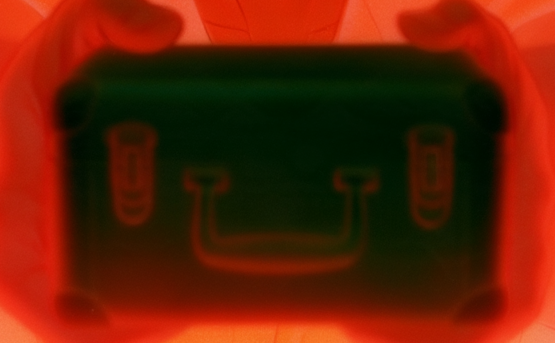
At 5:24 a.m. Claude cut the black case out of shot 16-13, the take I had approved, and saved it as the briefcase's lock. Then it did the same for the wrench, the Megaplex card, the glowing envelope, the dream crown, Boris's gas mask, the switchblade, the chess set and four more. Twelve locks in 19 seconds. The wall phone got its lock at 7:19 and the arena collar at 8:00.
Each lock has a one-line literal description beside it. The briefcase's reads: a small black hard-shell metal briefcase, a flat box with rounded corners, two chrome latches on the front, a short black handle on top, no logo, no lettering.
Now the runner checks every prompt before it goes to Midjourney. If the shot has the case in it, the lock picture goes in with the prompt. If the lock picture doesn't exist yet, the shot waits. The same picture goes along when a frame is animated.
A tip if you're doing this yourself: make the lock from a frame you already approved, not from a fresh prompt. You already know that one looks right in your film.
Why does "sleds across the room" draw a sled?
The props were half the problem. The other half was the prompts.
Our prompts were written like a screenplay. Midjourney reads them like a shopping list. Every noun becomes a thing in the picture:
- "sleds across the room" put a sled in the room.
- "at the arch of the curve" turned a street shot into an indoor room with an arch.
- "swinging like a metronome" invites a metronome.
- A name with no lock attached, like "Victor's window", gets you a stranger Midjourney imagines from the name.
My note was that prompts have to be literal, so the computer does exactly what you say. And if a prompt names a person, the person's lock has to go with it.
At 5:35 a.m. Claude stopped the Midjourney runner. It came back at 5:58 with two new checks and a pile of rewrites: 517 prompts rewritten as plain descriptions of the picture, and nine prop sheets waiting to be drawn. The rewrites only change the wording. The shot, the camera and the place stay the same.
Tip: read your prompt out loud and draw only the nouns. If something on that list shouldn't be in the frame, take the word out.
Why did the render queue make nothing for three hours?
Between about 4:30 and 7:15 a.m. every batch sent to the GPUs came back with zero clips. No pods started and no money was spent, so nothing looked broken.
The cause was two shot descriptions. One said a character "speaks softly ... very slowly". Another said "slowly". We have a rule from earlier in the month: an action word next to a calming word makes the animation drag, so the batch is refused before any GPU starts. The rule refused the whole batch over those two shots, and the queue sent the same batch again about every two minutes.
Claude logged it at 8:37 a.m. Those two descriptions were rewritten, along with seven more that had the same mix of words. The health check now names any shot written that way, instead of only saying no clips have arrived.
What was missing from the full film?
Later that morning I watched the whole film from start to finish. Shots I had approved were gone. The man on the conveyor belt in Scene 05 was one of them. A picture I had turned down was still playing. Some lines stopped partway through a word, and in one shot John talks while his mouth is hidden behind a kiss.
None of it was on purpose. Over the week, several automatic passes had been told to fix sound problems, and the easy fix was to drop the shot. One pass pulled every take marked "fix in post". Another turned approved takes into title cards. Another trimmed lines to match lip movement.
Claude logged it at 10:52 a.m. and went back through the cut. About 20 approved takes went back in across 14 scenes, the conveyor belt shots included. Takes from frames I had rejected came out. Lines play whole.
The cut check changed too. An approved shot missing from the edit is now a hard stop, the same as a broken file. The only way past is a written reason in the edit list. The scene won't render without one.
What else happened on October 23?
- Premiere: every scene import into Adobe Premiere popped up a translation warning that blocked the app until someone clicked OK. The dips to black were written in a form Premiere can only translate with a warning. They now go in as plain dissolves and get swapped to Premiere's own dip to black after import.
- The H3 pause: at 10:04 a.m. a rented GPU on a slow host never finished downloading its models. The pod was stopped after 12 minutes, $0.37. Our waste breaker paused all rendering after that one empty pod, and nobody turned it back on for about 21 hours. That's a story for Day 21.
- Midjourney: 50 jobs that day, nine of them the new prop sheets.
The numbers for October 23
- Frames I judged: 92, from 4:47 to 11:26 a.m. Approved 65, sent back 27.
- Clips I judged: 29. Kept 26.
- Ways the briefcase had been drawn: 5. Prop locks made: 14, twelve of them in 19 seconds.
- Prompts rewritten to be literal: 517.
- Render queue: 0 clips from about 4:30 to 7:15 a.m., $0.
- Approved takes put back into the cut: about 20, across 14 scenes.
- Midjourney jobs: 50.
So what did Day 20 teach me?
Every shot of that case passed when I looked at it alone. The mistake only showed up across shots, and I wasn't judging across shots. A picture you pass along beats a description you retype, because a description is a new chance to be read differently every time.
The missing shots taught the same thing from the other side. A fix that removes the problem by removing the shot will always look like it worked. Now the cut check counts what should be there, not only what's wrong with what is. Follow the run on the Making Death Match series page.
FAQ
How do you keep a prop the same across AI-generated shots?
Give it a picture. We crop the prop out of a frame we already approved, save it as a prop lock and pass that image with every prompt and every animation job that shows the prop. A written description alone got us five different briefcases.
Why does Midjourney add things that aren't in the scene?
It reads every noun as something to draw. "Sleds across the room" puts a sled in the room. We rewrote 517 prompts as plain descriptions of what the camera sees.
What is a prop lock?
A reference image of one recurring object, plus a one-line literal description. On October 23 we made 14 of them, from the mission briefcase to Boris's gas mask.
How do you stop an automatic edit from deleting approved shots?
Make a missing approved shot a failure. Our cut check refuses to render a scene when an approved take is missing, unless the edit list gives a written reason.
While you wait for the next update: play Halfsies
Halfsies is our iPhone game, live now. One cut. Two halves. Each day you get three objects and one attempt at each: cut it exactly in half by eye and the scale tells you how close you got. No restart needed. Download Halfsies on the App Store