TL;DR
- Keep the product name and price easy to recognize as a buyer moves into checkout.
- Give payment choices their own space without making the surrounding page feel unrelated to the store.
- Review the storefront and checkout together, including narrow screens.
A storefront gives a product room to explain itself. Checkout asks the buyer to complete a much more specific task. The two pages need different layouts, but they should still feel connected. A familiar product name, consistent type and a clear price can help a buyer recognize that they are continuing the same purchase.
The public Charmingseal project includes a Studio Atlas demonstration storefront, a checkout and a theme editor. These are sample screens, not evidence of sales or customer results. They offer a concrete way to look at the relationship between browsing, buying and previewing a shop’s appearance. This article discusses what is visible in those public images.
Carry the product into checkout
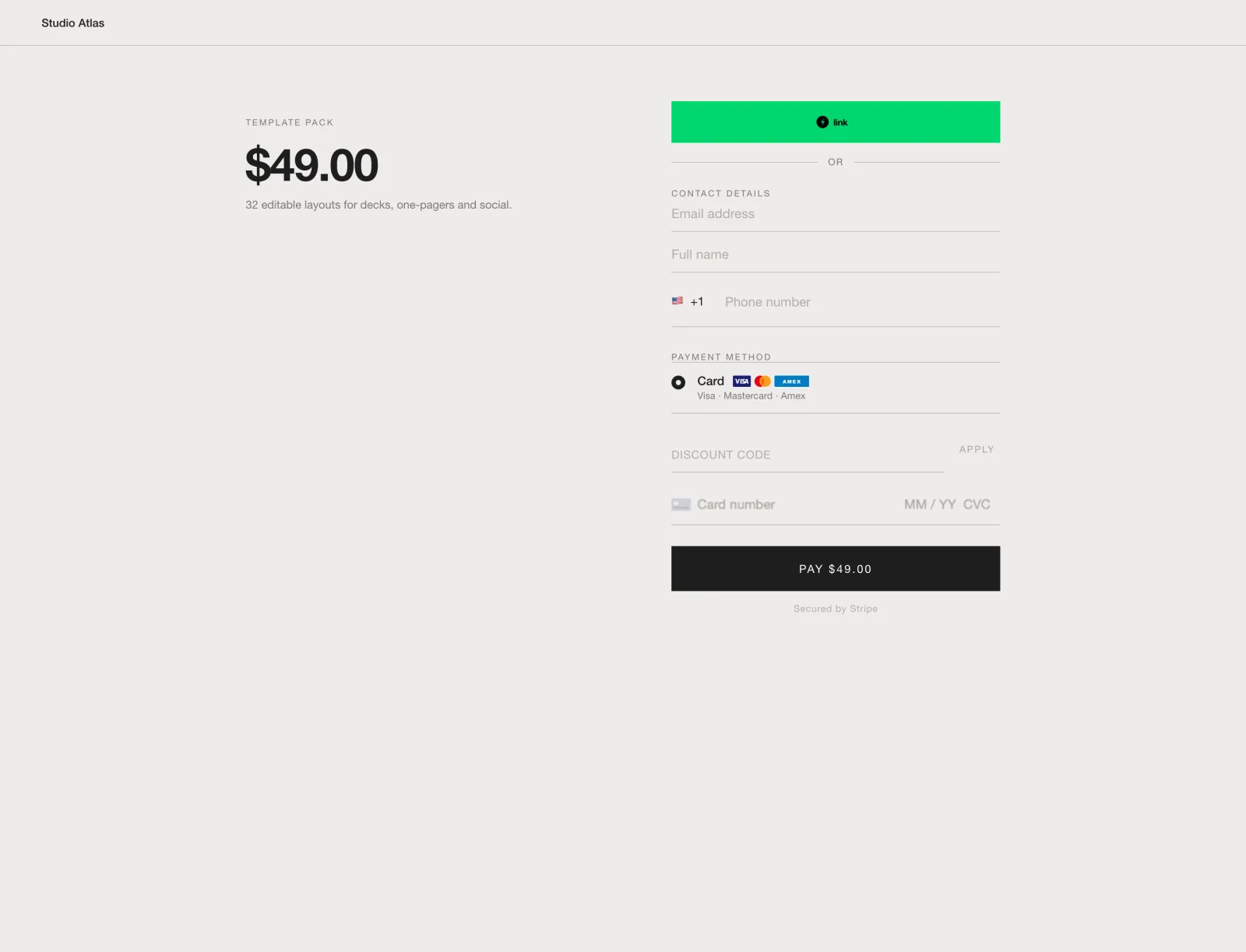
In the checkout example, Template Pack stays on the left with its description and $49.00 price. The form occupies the right. That division keeps two questions close together: what is being purchased, and what is needed to complete the purchase? The buyer does not have to return to the catalogue to see the product’s name.
Notice the hierarchy within the form. Express checkout appears before a divider. Contact information follows, then the payment method and card fields. The final payment button repeats the amount. For a checkout review, compare that amount with the product and order summary. A recognizable visual style cannot compensate for totals that disagree.
The same check applies to the product title. A short catalogue label and a long checkout description may refer to the same item, but the connection needs to be obvious. Keep the identifying words intact and make any variation, quantity or recurring charge clear at the point where it matters.
Give the store a consistent visual language
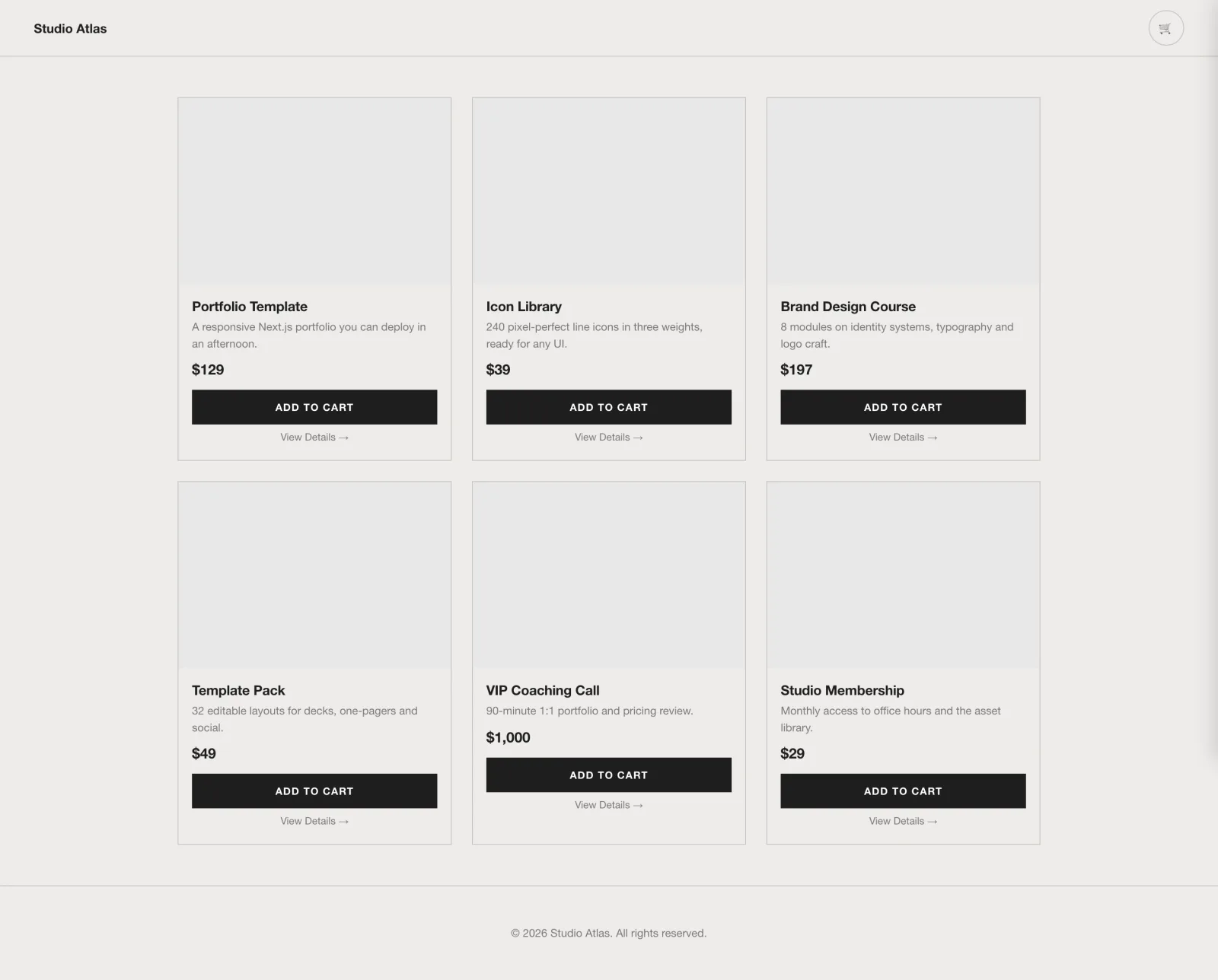
The storefront uses a pale background, dark type and black purchase buttons. Each catalogue entry follows the same sequence: image area, name, price and action. That repetition lets a reader scan the offering without relearning each entry. The checkout keeps the restrained background and dark main payment button while giving the express-payment option a different treatment.
Consistency does not require every control to have the same color. A payment provider’s button can have its own recognizable appearance. The surrounding type, spacing and product information can still connect the page to the shop. The question is whether the page remains coherent once those different elements sit together.
Images need their own review. The sample catalogue’s image areas are blank, so the screenshot is useful for studying layout rather than judging product photography. In a finished shop, check the actual artwork at the size buyers will see. A grid that works with empty rectangles may behave differently when titles, faces and detailed covers enter the picture.
Review the pages together
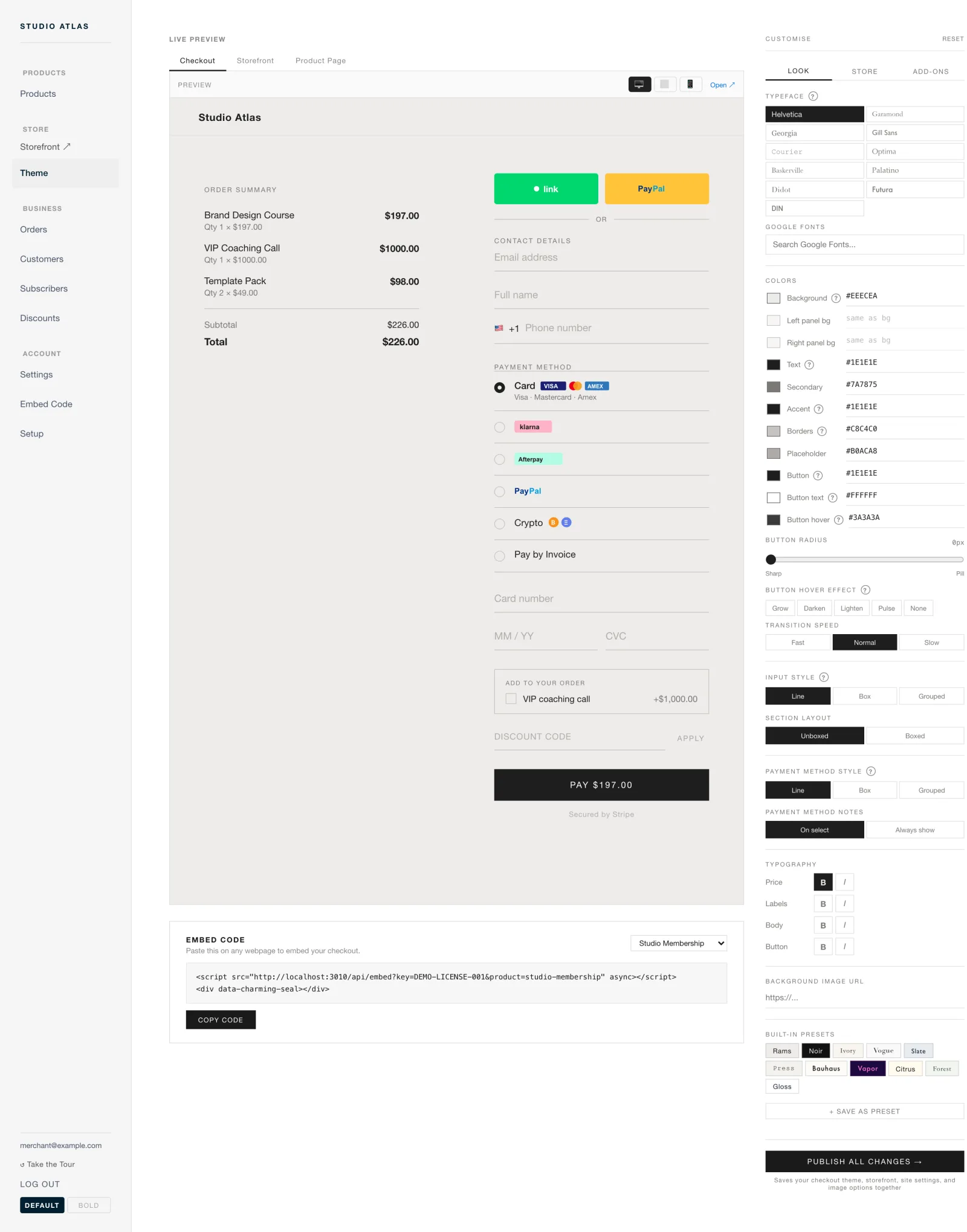
The theme-editor image places a checkout preview between navigation and appearance controls. Tabs offer checkout, storefront and product-page views. Device icons offer another way to inspect the preview. The arrangement makes an important design question tangible: what happens to the buying experience when the shop’s presentation changes?
Treat a preview as something to inspect, not proof that the finished flow works. Look at headings, button labels, field boundaries and product information on each page. Then examine a narrow layout. A two-column desktop composition needs a clear reading order when the product and payment form stack vertically.
Finally, separate appearance from behavior. Screenshots can show that a form is organized and a button is readable. They cannot establish that a payment completes, that a particular method is available in a country, or that a design improves conversion. Those need their own checks. Keeping that distinction makes a visual review more useful: it identifies what the image actually demonstrates and what still has to be tested.
See Charmingseal for the project and the public site for its current presentation. For a different kind of visual continuity, read Making a comic-book game interface belong to its world.