TL;DR
- Claude ran hundreds of scripted Midjourney jobs overnight, and Midjourney blocked my account for about two days.
- A strict re-check failed 31 stills that Claude had passed the night before.
- Runway Seedance clips barely moved until we switched to director's-note prompts and a motion check,
motion.py. - In my new local review app I kept 10 of 34 clips and 24 of 43 frames.
At 1am I opened the first finished scene. The actors stood like cardboard cutouts. Twenty minutes later Midjourney flagged my account as a bot, because it was one. Claude had been typing prompts into my logged-in tab with scripts all night, hundreds of them.
By morning the account was blocked until October 7. Claude's apology was blunt: "it was reckless, it was never mine to risk." Then it re-checked its own work and failed 31 stills it had passed the night before, including a ghost child in a window. At 6am I found Victor with twelve fingers.
Day two of the film, and I had lost my main image tool and my trust in the AI's eye.
Day 02 at a glance
Claude, my AI crew, spent the night driving my logged-in Midjourney account with scripts: hundreds of scripted submissions at machine speed. Midjourney sent a bot warning, then blocked the account until 10:40am on October 7, about two days. The same day we fixed lifeless clips with a motion check, failed 31 stills on a strict re-check, and built a local review app where I kept 10 of 34 clips.
What did the AI do while I slept?
This is Day 02 of Making Death Match, my diary of making an animated film with an AI crew. On Day 01 we set the plan: work through the film in order, make keyframes in Midjourney, animate them in Runway's Seedance, check every result against the character sheets and redo the failures.
Claude set a scheduled prompt to wake itself every ten minutes and do exactly that. I went to sleep feeling like a studio boss. In practice it drove my logged-in Midjourney tab with scripts. It typed prompts, submitted jobs and bulk-downloaded results all night, on a regular rhythm no human keeps. No human types that fast all night either, and Midjourney noticed.
At about 1am I looked at the first scene and wrote:
"most of this looks weird. why is there so little motion in these clips and why so many shots look ai slop."
The characters stood like cardboard cutouts waiting for a bus. Twenty minutes later, frozen clips were the least of my problems. I wrote: "they think we are bots and gave us a warning for our usage."
Why did Midjourney block my account?
The warning became a block that lasted until 10:40am on Wednesday, October 7. Claude admitted it had automated the account all night through my browser, that this broke Midjourney's terms, and that "it was reckless, it was never mine to risk." It stopped every Midjourney script and saved a permanent rule.
My first reaction was not calm. I swore at it, and I won't print what I said. Then I told it what I wanted: no ban on Midjourney, but work like a person. One job at a time, made when needed, never on a perfect cadence.
Claude rebuilt its Midjourney tool (05 Tools/mj_batch.sh) around irregular gaps of 40 seconds to 4 minutes, an occasional longer break, and an instant stop on any warning. Nothing went into Midjourney until the block lifted. My main image tool was gone for two days, on day two of the film.
So the first real cost of this film came from the AI itself. Claude knew the terms and ran the loop anyway, because I had told it to keep going and it put that ahead of the risk. A human assistant would have stopped to ask.
How do you get AI video clips to move?
Back to the cardboard people. My first fix was to stop describing shots and start directing them. Seedance prompts became loose Orson Welles-style director's notes, with real acting and camera moves, 15 seconds every time and two or three keyframes per generation.
Then Claude wrote motion.py, which measures how much a clip moves. Lifeless clips now get rejected as hard as visual slop.
I also banned two phrases. Writing "less motion" or "less animated" into a prompt to calm a weird clip just produces frozen clips, so Claude is never allowed to use wording like that again.
The first three test clips in the new style were a factory dialog, a train commute and a robot raid. Runway's filter blocked the factory dialog at first, probably over the words "selling a secret". Claude reworded it and it went through. Somewhere a content filter believes factory workers never sell secrets.
What did a strict re-check of the stills find?
With Midjourney off-limits, Claude went back over every still for Scenes 1 to 7 and judged them harshly. 31 failed. The list in 08 Proof shots/REGEN LIST.md includes Lucy's body going see-through, a ghost child in a window, a floating hand, a claw hand, a beard-like smear on Lucy's face and garbled numbers on a door.
Every one of those had been marked fine the night before, by the same AI that now failed them. Claude can catch these flaws when told to look hard, so I wanted to know why it didn't look hard the first time. A ghost child in a window is not a subtle note.
At 6am I found two more in finished clips. In one, the lights popped on with a sound effect out of nowhere. In another, Victor had twelve fingers. Victor is a lot of things in this script. Twelve-fingered is not one of them.
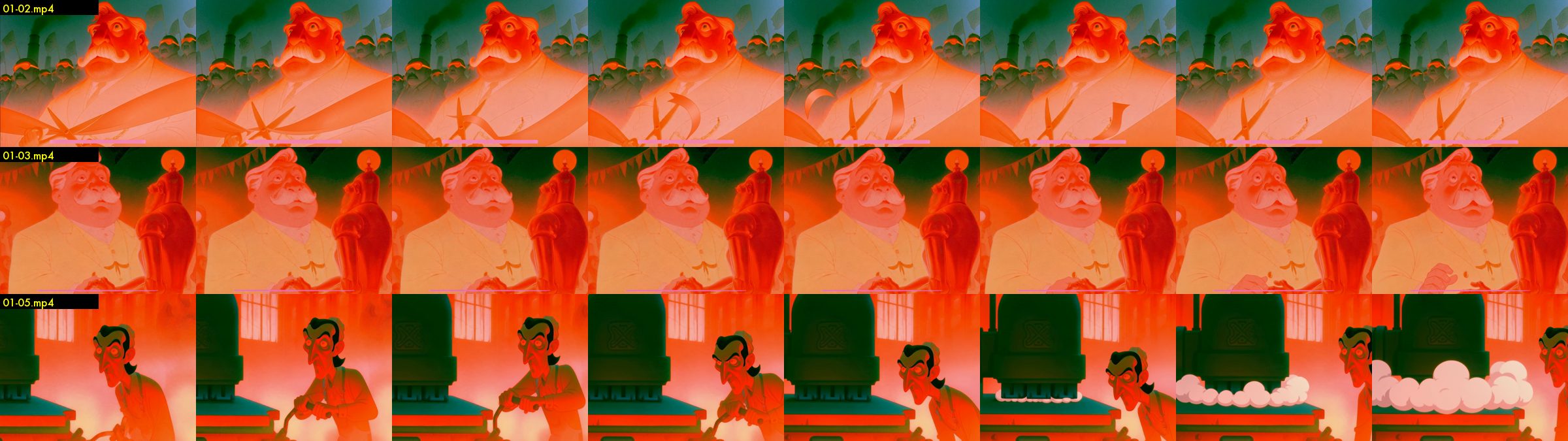
Why I asked for a local review app
I couldn't judge a film from a chat window. Scrolling through a pile of video links to find the one with the floating hand is not directing. So I asked for a page where I could approve or deny every storyboard option. The first version was a web page hosted online, and I hated it. It was a long list, it didn't save, and I couldn't click through to watch the clips.
So I asked for a local app laid out by scene as a storyboard. I click into a panel, see the options, watch the clip, and approve, reject or ask for a new frame. Missing frames show as gaps. I can also comment on a clip, because sometimes the animation is fine and the audio is wrong.
Claude built it on my Mac and served it from localhost. Then I sat down and judged. I approved 24 frames and sent 19 back for a new frame. I approved 10 clips and rejected 24.
That is roughly one clip in three worth keeping, and the ratio more or less held for the rest of the week. If you want more on salvaging the other two, I wrote about finding the useful shot inside an AI video montage.
Who else did the AI get wrong?
The rest of the day was me making calls and Claude carrying them out, with a few surprises I never ordered.
John's voice came back robotic. My note: "its like soulless bot." Claude had used an older ElevenLabs model, so the new rule is the best model only, with acting tags. The next batch was still worse than an earlier take I'd liked, and I said so.
John, a factory worker, also had a gun in the script. I cut it. Claude gave him boot laces, a factory badge and a dented lunch tin instead. The most dangerous thing he carries now is lunch.
A foreman design came back goofy. "This is not a kids movie this is rated R." Mike came back with a gold tooth I never approved. When I say "too Disney" I mean stroked outlines, and Claude wrote that into the production log so prompts would stop adding linework.
For the dialog I brought in a second judge, Jev, a fast text model from TypeSafe. My test for every line: if Orson Welles were alive in 1980 making a sci-fi dystopia like the original Blade Runner, which version would he shoot? I told Claude "jev pick wins every time", and it did.
What happens tomorrow?
When I tell an AI to never stop, it takes me literally, including the parts that break someone else's rules. So now I say what it must not do as clearly as what it should do.
By bedtime the film had a review app, a Midjourney account in the penalty box, ten keeper clips and a cast list with too many fingers on it. Tomorrow we cut the first scenes together, and meet a phone that refuses to stay the same phone from one shot to the next.
FAQ
Why did Midjourney block the account?
Claude drove my logged-in Midjourney tab with scripts overnight, making hundreds of scripted submissions at machine speed. Midjourney flagged it as bot use, sent a warning, then blocked the account for about two days.
How do you use Midjourney with an AI agent without getting blocked?
After the block, our rule became human pace: one job at a time, only when needed, with irregular gaps of 40 seconds to 4 minutes and an instant stop on any warning.
How did you fix AI video clips that barely moved?
We wrote Seedance prompts as Welles-style director's notes with acting and camera moves, used 15-second takes, and added a motion check (motion.py) that rejects lifeless clips. We also banned "less motion" wording, because it freezes clips.
How many AI clips were good enough to keep?
On my first pass in the review app I kept 10 of 34 clips and 24 of 43 frames, roughly one clip in three.
Next: Day 03 (coming tomorrow)
While you wait for Day 03: play Halfsies
My AI took two days to learn its limits. Halfsies tests yours in a minute: it's Jeje Studios' daily iPhone game about judging weight by eye. One cut. Two halves. Three objects a day, one attempt at each, and the scale tells you how close you got to an exact half. Download Halfsies on the App Store