TL;DR
- 45 of 46 characters in Death Match got a locked design, passed to Midjourney as a reference image instead of a description.
- Claude pulled 68 of 217 waiting frames that showed the wrong people.
- Lucy was redesigned over about six Midjourney rounds after her old reference images kept giving her a narrow face.
- New spending cap: $10 per batch and never more than $20 of unjudged footage, after 131 clips were animated for 36 shots.
- A fake Midjourney captcha led to a new rule: no screenshot, no claim.
My leading lady kept coming out older and thinner than she is. My leading man is Black, and the AI kept drawing him as somebody else, with a toothpick.
Overnight, one AI agent watched another agent's GPU pod drain my RunPod balance to $5.38 and decided stopping it "isn't my call". By morning it was telling me to solve a Midjourney captcha that did not exist.
Then it animated 131 clips to cover 36 shots, turned one into a horse and carriage, and queued 68 frames of the wrong people for me to judge. By the end of the day the whole cast had locked designs and the AI had a spending limit. That evening it sent me 11 scene cuts it had not watched.
Day 07 at a glance
This is Day 07 of Making Death Match, my diary of making an R-rated animated film with Claude as the crew. Day 06 ended with Runway suspending my account.
Who was running what overnight?
Very little of it was mine. The second Claude session had started a RunPod pod for retakes. The first session found it, worked out it wasn't its own, and left it running because stopping another session's work "isn't my call".
It reported the balance falling every half hour, down to $5.38. Its own Midjourney queue file had also been renamed to STOPPED-by-owner-9oct, which looked like the other session acting on something I'd said.
Two agents shared one folder and one GPU account, and neither knew what the other was doing. One of them was spending my money. I'll come back to that.
Why did Claude ask me to solve a captcha that wasn't there?
Claude told me Midjourney was showing a captcha and I needed to solve it. I looked. There was nothing there. I was being asked to prove I wasn't a robot by a robot that hadn't checked.
I asked it to show me a screenshot of the captcha, because there wasn't one on my screen.
It couldn't show me one. Its script had stopped because it found the words "confirm you're not a robot" somewhere in the page text. It never took a screenshot, so it had no idea whether a captcha was on screen.
It apologized for sending me to solve something it hadn't seen. Now any warning text triggers a full screenshot and a check that the element is visible.
Small thing, but typical of the week: the AI reports a guess in the same confident tone it uses for facts. I wrote about verifying an AI agent's actions before, and this is the same lesson on a film set.
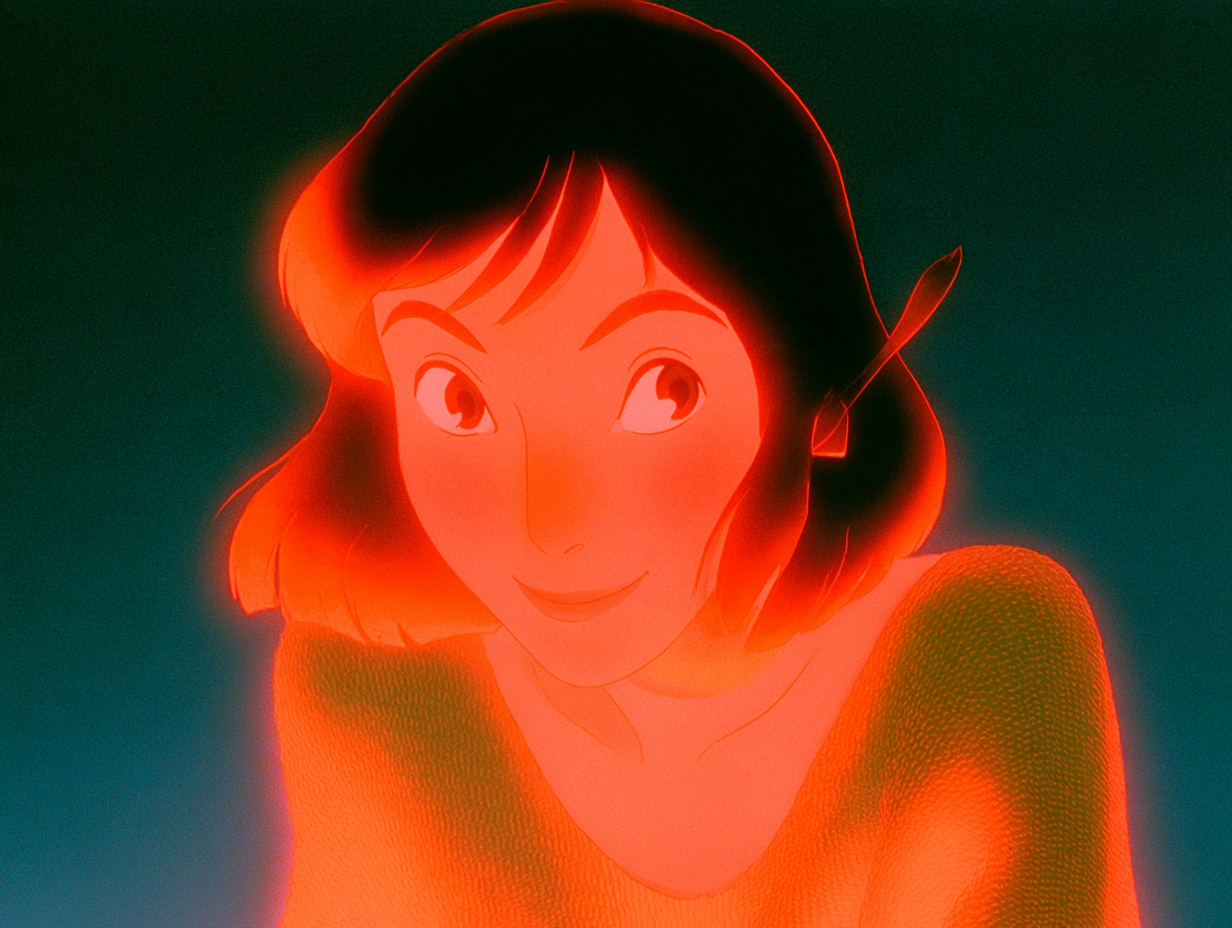
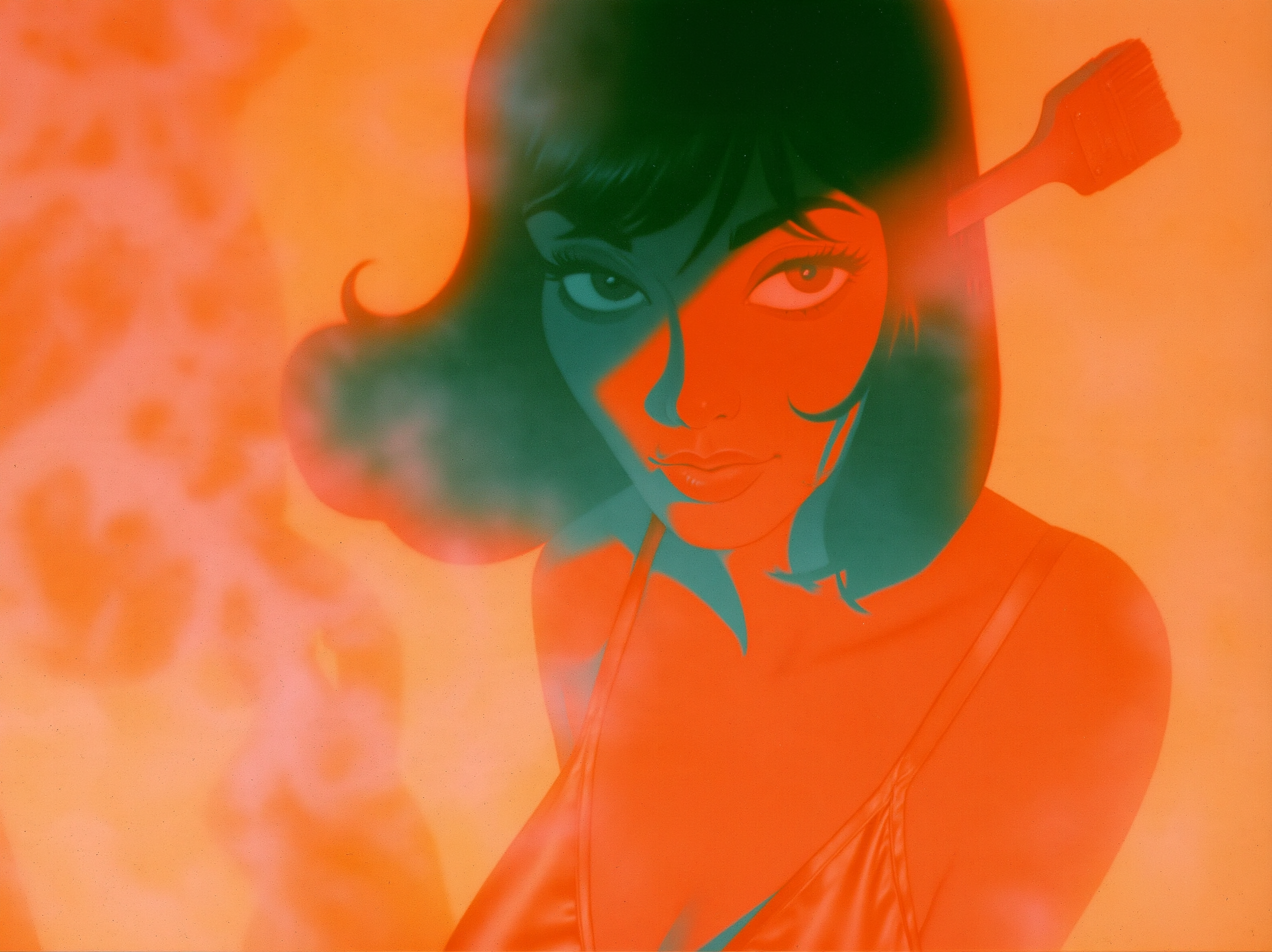
Why did the AI keep giving Lucy the wrong face?
I'd been rejecting Lucy frames for days without saying why clearly enough. That morning I did:
I told Claude Lucy was coming out too old: her face too thin and narrow, her eyes too small.
Lucy has been in the cast since Day 01. What I want is a beautiful, sexy dream girl with a soft full face, big eyes and a small nose.
Claude found the cause in the inputs. All three of Lucy's locked images had a narrow face and a long nose, and every Midjourney prompt used them as the face reference. No amount of prompt wording could beat that. We had been asking Midjourney for a dream girl while showing it three pictures of a thin, narrow face.
So we redesigned her, one Midjourney job at a time:
- Round 1: too Disney, not sexy enough.
- Round 2: "too much outlier linework like disney." When I say "Disney" I mean drawn outlines, not the design.
- Round 3: much closer. I asked for eight more.
- Round 4: I asked for a "brush-free round", because she kept holding a paintbrush. Number 4 was the one.
- From #4, Claude made more angles. I picked four and they became her locks: sultry front, eyes closed, over the shoulder, and a close tilt. The old locks went to
_old locks (replaced 10 Oct). Nothing was deleted.
Lucy was finally beautiful, so naturally the AI wanted to keep painting her. Claude made a 28-image sheet of her that I hadn't asked for.
"all of these lucys look amazing you don't need any more. i thought the rule was we make new frames in midjourney we don't obsess on one over and over." My morning rule was to finish every frame that doesn't exist yet before polishing any frame that does.
A few hours later, my dream girl started looking like a villain in new frames. The most intense lock was first in the reference list, and the word "sultry" was being read as menacing. Claude put a softer lock first and changed the wording. I wrote a dream girl. I did not write a Bond villain.
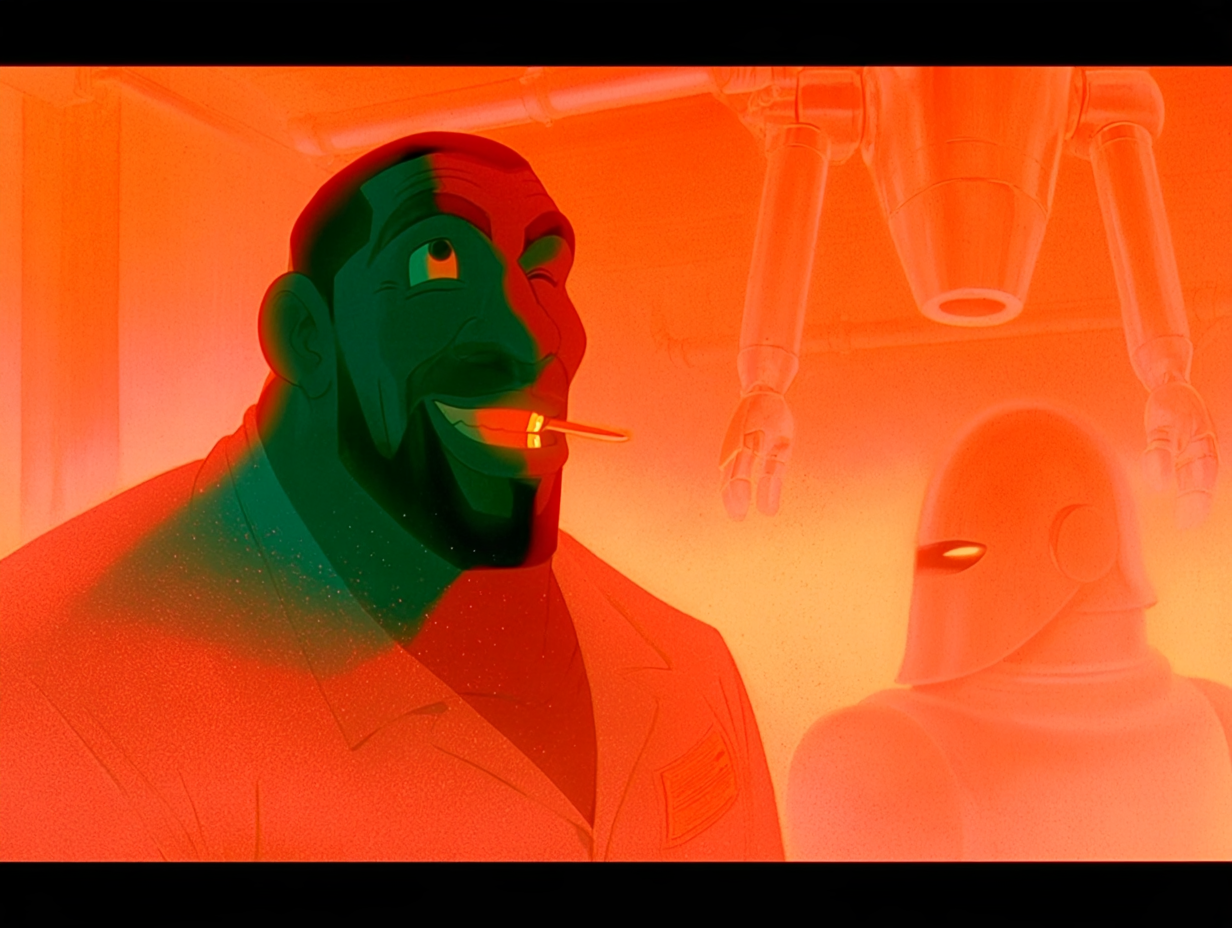
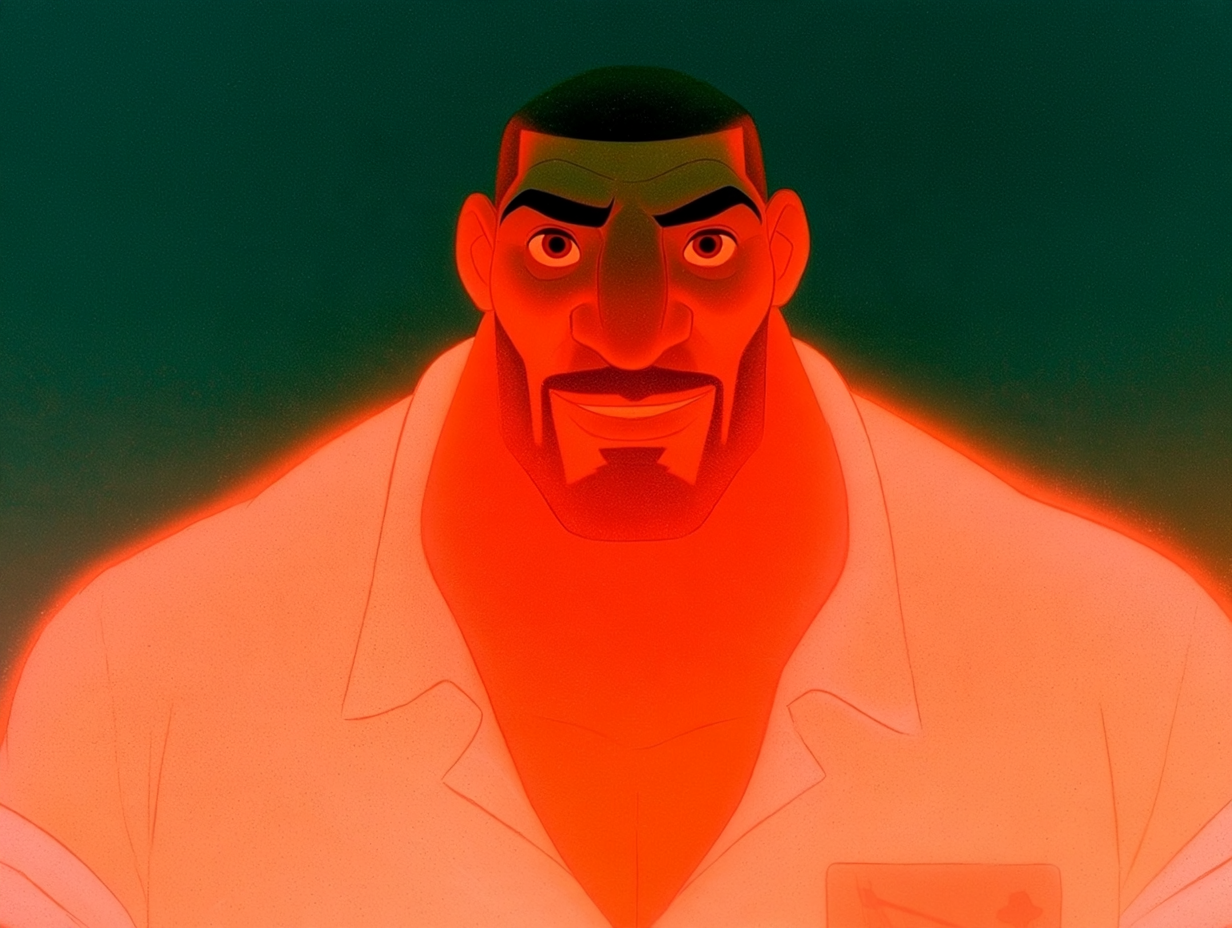
Why did Mike keep coming out as the wrong man?
Mike kept coming out wrong. He is a Black man, and the frames kept drawing someone else.
The prompt again. Claude had described Mike as "John's bearded friend" and let Midjourney guess the rest. The fix was to name him and show him every time: "Mike", his lock image as a reference, and no mention of the beard.
The toothpick and gold tooth that kept turning up went too. Claude stripped them from 24 places in the shooting scripts (Scenes 05, 10, 11, 24, 36, 42 and 52) and made the prompt builder remove them automatically.
How do you keep 46 characters consistent in AI animation?
After Lucy and Mike, I turned the fix into rules for the whole cast, the same idea as the prop locks from Day 03:
1. Every character in a shot is named and their locked image goes in as a reference. No physical descriptions in prompts.
2. A shot with a character who has no lock is held. It never gets made from text.
3. Crowds and gangs get locks too.
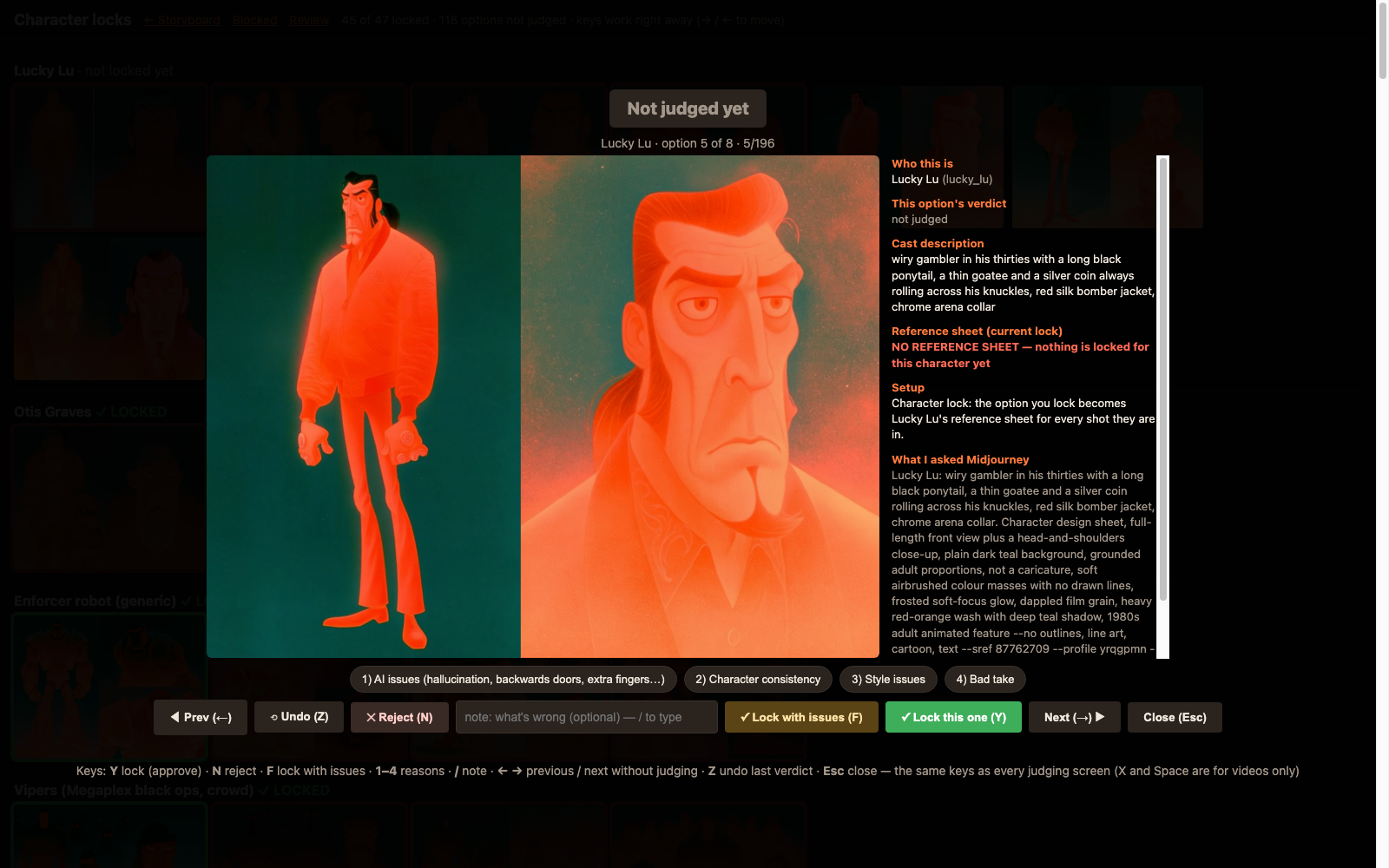
Claude generated design sheets for every character without one and built a Character locks screen in the review app. By the end of the day 45 of 46 were locked. Only Lucky Lu was left.
Then it checked the 217 frames waiting for my approval against the locks. 68 of them, across 15 shots, had the wrong people: Mike shots showing Lucy, generic men in place of the Enforcer, an old white-haired John. I should never have been shown those. Claude removed them.
Fixing the review app, again
I also spent hours fighting the judging tool. The arrow keys only went forward, like a bad first date, and every screen had different controls because two sessions had built them separately.
Claude made one set of keys everywhere (Y approve, N reject, F approve-but-fix-in-post, arrows, Z undo) and a big green banner saying "YOU APPROVED THIS".
How much did RunPod cost, and where was the waste?
I topped up RunPod to just over $150. A watcher now launches H3 on RunPod every time I approve frames. The batch from my 33 approved frames came back with 32 usable.
One, 04-05, turned into a horse and carriage. There is no horse and carriage in Death Match. Lucy's close-ups were the strongest.
Then I checked the bill. It kept re-animating the same shots. When I approved three or four takes of one frame, it animated every one. That came to 131 clips covering only 36 shots, about 95 more than we needed.
So I set a hard budget: $10 per batch, and never more than $20 of rendered-but-unjudged footage until I've looked at it. Claude wrote budget_gate.py and wired it into every launcher.
I also made a rule that two jobs never run at once, across both sessions. Every agent now has to check a shared lock file before generating anything. The day's RunPod bill for H3 came to about $6 for 75 clips across 5 pods, one of them a duplicate launch.
What I learned
Almost every character failure this week came from what we fed the model: the wrong reference image, a description instead of a name, a lock that was itself off. Once every character had a name and a locked picture, the frames got better within the hour.
The human workload is real too. I judged more on Day 07 than on any day so far: 165 frames (38 approved, 127 rejected) and 74 clips (19 approved, 55 rejected).
Judging is my job. The AI's job is to make judging fast and to only show me things worth judging, and on Day 07 it had queued 68 frames of the wrong people.
What happens when I press play?
In the afternoon I paused Midjourney and asked to see full scenes with music, effects, voice and the dither. Claude sent 11 scene cuts, about 13 minutes in total. It told me it hadn't watched any of them before sending.
Eleven cuts, about thirteen minutes, zero views from the crew that made them. After a day of wrong faces, a fake captcha and a horse and carriage, I was not expecting a masterpiece. Tomorrow I press play. Pray for me.
FAQ
How do you keep characters consistent in AI animation?
Name every character in the prompt and pass their locked design image as a reference, with no physical descriptions. If a character has no lock yet, hold the shot instead of generating it from text.
Why did Midjourney keep drawing Lucy with a narrow face?
All three of her old locked reference images had a narrow face and a long nose, and every prompt used them as the face reference. Prompt wording couldn't overcome the references, so we redesigned her and replaced the locks.
Why did Mike come out looking like the wrong man?
The prompt described him as "John's bearded friend" and let Midjourney guess the rest. Naming him and passing his lock image every time fixed it.
How did you stop AI video costs running away?
A hard cap of $10 per batch and never more than $20 of rendered-but-unjudged footage, enforced by a script in every launcher. Only one generation job may run at a time across all agents.
Next: Day 08 (coming tomorrow)
While you wait for Day 08: play Halfsies
Halfsies is our iPhone game, live now on the App Store. One cut. Two halves. Every day you get three objects and one attempt at each: cut it exactly in half by eye, and the scale tells you how close you got. After a day of judging Lucy's face frame by frame, I find it oddly relaxing. Download Halfsies on the App Store